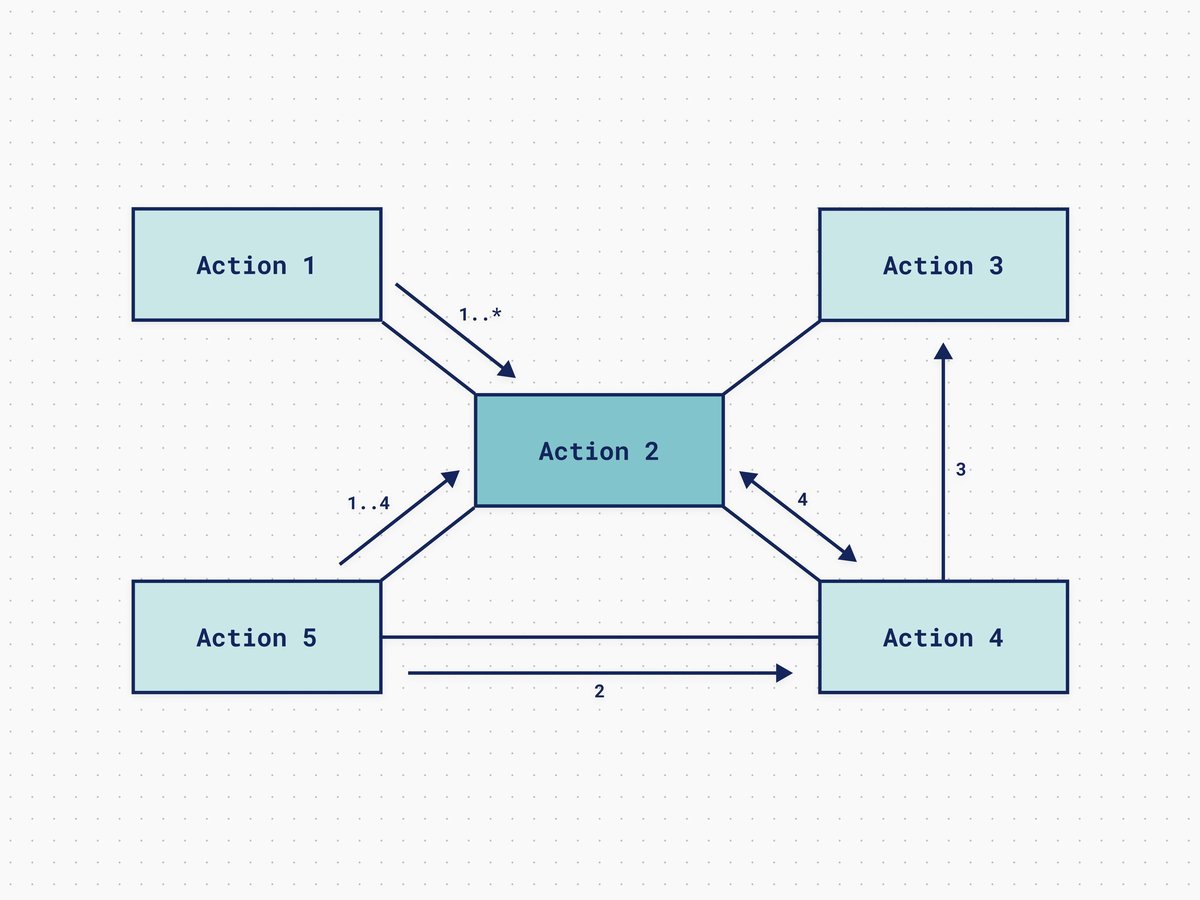
The digital landscape is a sprawling, intricate web, and trying to understand its architecture through text alone can feel like deciphering ancient hieroglyphs. That's where Step-by-Step Guides for UML Diagram Creation become your secret weapon. Unified Modeling Language (UML) diagrams aren't just technical drawings; they're universal blueprints that transform the most tangled systems—be they software, business processes, or complex engineering projects—into clear, shared, and actionable visuals.
Imagine trying to build a skyscraper with only written instructions. You'd quickly realize the absolute necessity of architectural drawings. UML provides that same vital visual clarity for systems, allowing teams to align, anticipate problems, and build with confidence. It's a formal, standardized language, turning abstract concepts into concrete maps that everyone, from developers to stakeholders, can understand.
At a Glance: Your Quick Roadmap to UML Mastery
- UML Simplifies Complexity: Turn dense system descriptions into easy-to-understand visual models.
- Boosts Communication: Creates a shared visual language for technical and non-technical teams.
- Follow a 10-Step Process: A systematic approach to building any UML diagram from purpose to refinement.
- Choose the Right Diagram: Learn the differences between Structural (what a system is) and Behavioral (what a system does) diagrams.
- Master Key Concepts: Understand classes, objects, use cases, and their relationships.
- Hands-On Example: Walk through creating a Class Diagram to see UML in action.
- Avoid Common Pitfalls: Learn how to prevent mistakes like over-complication or using the wrong diagram type.
- Leverage Best Practices: Keep diagrams simple, consistent, and audience-focused for maximum impact.
Why UML Matters: Bringing Order to System Chaos
In a world increasingly driven by interconnected systems, the ability to clearly articulate their structure and behavior isn't just a nicety—it's a necessity. UML offers precisely that: a robust, standardized visual language.
What is UML, Really?
At its heart, UML is a graphical notation system designed to visualize, specify, construct, and document the artifacts of a system, particularly software-intensive systems. Think of it as the architect's blueprint for a software application, a business process, or even a hardware setup. It uses a rich set of standardized symbols and rules to depict how a system is organized, how its components interact, and how it behaves under various conditions.
This standardization is key. It means a diagram created by a developer in New York can be understood by an architect in Berlin or a business analyst in Tokyo, without ambiguity. It cuts through jargon, bridges communication gaps, and fosters a universal understanding that plain text often fails to achieve.
The Power of Visual Communication
Our brains are wired for visuals. A well-crafted diagram can convey complex relationships and processes far more efficiently than pages of written specifications. UML diagrams serve as:
- Shared Language: They provide a common ground for technical teams, project managers, and even non-technical stakeholders to discuss and understand system designs.
- Design Tool: They allow architects and developers to model and explore different design options before writing a single line of code.
- Documentation: They act as living blueprints, making it easier to maintain, scale, and update systems over time.
- Problem Solvers: By visualizing components and interactions, potential issues, bottlenecks, or logical flaws become apparent much earlier in the development cycle.
From mapping intricate software architectures to streamlining business workflows, UML diagrams are indispensable tools for anyone looking to bring clarity and control to complex system design.
Your Blueprint for Success: The 10-Step Process for Creating Any UML Diagram
Creating a powerful UML diagram isn't just about drawing boxes and arrows; it's a systematic process that ensures your visual model accurately reflects the system you're trying to describe. Here’s a robust, step-by-step guide to help you build effective UML diagrams every time.
Step 1: Pinpoint Your Diagram's Purpose
Before you draw a single line, ask yourself: Why am I creating this diagram? Is it to gather requirements from users, illustrate a system's overall architecture, document the relationships between classes in a database, or map out a complex business process?
Defining your objective is paramount. A clear purpose dictates the level of detail, the specific elements you'll include, and most importantly, which type of UML diagram will serve your needs best. Without a defined purpose, your diagram risks becoming a muddled, less-than-useful artifact.
Step 2: Identify Key Elements and Their Relationships
Once your purpose is clear, start listing the core components of your system. These could be:
- Actors: The users or external systems interacting with your system (for use cases).
- Classes/Objects: The fundamental building blocks of your software, including their properties and behaviors.
- Components: Larger, self-contained parts of your system.
- Activities/States: The steps in a process or the different conditions an object can be in.
Crucially, also identify how these elements connect or depend on each other. Do classes inherit properties? Do objects send messages? Do activities follow a sequence? Understanding these relationships early helps in structuring your diagram accurately.
Step 3: Choose the Right UML Diagram Type for Your Goal
UML offers a rich palette of diagram types, each designed to highlight a specific aspect of a system. Using the wrong one is like trying to use a hammer to drive a screw.
- Need to show how users interact with a system? A Use Case Diagram is your friend.
- Want to illustrate the static structure of your code? Go for a Class Diagram.
- Describing the exact sequence of messages between objects over time? A Sequence Diagram is ideal.
- Mapping a business process flow? An Activity Diagram fits the bill.
We'll dive into the specific types shortly, but remember: your diagram's purpose (Step 1) should directly inform this choice.
Step 4: Sketch It Out (Go Analog First!)
Don't jump straight to a complex software tool. Grab a whiteboard, a pen, and some paper. Sketching a rough draft allows you to quickly visualize element arrangement, brainstorm relationships, and experiment with different layouts without getting bogged down by tool specifics.
This "low-fidelity" stage encourages rapid iteration and helps you focus on the core logic and structure before committing to a digital format. It’s often where you catch initial errors or discover better ways to represent your system.
Step 5: Pick Your Digital Pen: Choosing a UML Modeling Tool
While sketching is great for ideation, a dedicated UML modeling tool is essential for creating polished, standardized, and shareable diagrams. Look for features such as:
- A comprehensive library of UML shapes and symbols.
- Support for various relationship types and multiplicity notations.
- Easy drag-and-drop functionality.
- Collaboration features for team feedback.
- Export options (image, PDF, etc.).
Popular choices range from enterprise-grade software to simpler online diagramming tools. Choose one that aligns with your team's needs and budget. For instance, exploring robust platforms like Our UML diagram generator can significantly streamline this process, offering intuitive interfaces and extensive libraries.
Step 6: Build the Diagram Piece by Piece
Now, translate your rough sketch into your chosen UML tool. Start by adding the main components (actors, classes, use cases, activities, etc.). Then, meticulously link them with the appropriate relationships (dependencies, associations, generalizations).
Pay close attention to the visual conventions of UML:
- Classes are typically rectangles.
- Actors are stick figures.
- Different arrow types denote different relationship semantics.
Consistency here ensures your diagram is readable and universally understood.
Step 7: Define Element Properties (The Nitty-Gritty Details)
Once the skeletal structure is in place, flesh out the details. Assign qualities, attributes, and specific characteristics to each element.
- For a class, define its attributes (properties) and operations (methods).
- For a use case, describe its goal and main flow.
- For a state in a state machine diagram, list its entry and exit actions.
These properties add essential context and detail, turning generic shapes into meaningful system components.
Step 8: Clarify with Annotations and Comments
Even with a perfectly structured diagram, sometimes a little extra context is needed. Use annotations or comments to:
- Explain particularly complex relationships.
- Highlight assumptions or constraints.
- Provide external references.
- Add notes for future development or review.
These clarifying notes enhance readability and prevent misinterpretations, making your diagram more robust and self-explanatory.
Step 9: Validate and Review (Your Sanity Check)
This is a critical step. Don't assume your diagram is perfect on the first pass. Review it against your original purpose (Step 1) and the actual system requirements.
- Is it complete? Are any essential elements missing?
- Is it accurate? Does it truly represent the system's structure or behavior?
- Is it consistent with UML notation?
- Is it easy to understand for your target audience?
Engage peers or stakeholders in this review process. Fresh eyes can spot errors or areas of confusion that you might have overlooked.
Step 10: Refine and Iterate (UML is a Living Document)
UML diagrams are rarely static. Systems evolve, requirements change, and understandings deepen. Be prepared to update and refine your diagram based on feedback, new insights, or system modifications.
Think of your UML diagram not as a final product, but as a living blueprint that continually adapts with your system. Regular iterations ensure it remains a relevant and valuable asset throughout the project lifecycle.
Decoding the System: A Deep Dive into UML Diagram Types
UML diagrams are broadly categorized into two main groups: Structural Diagrams (what a system is) and Behavioral Diagrams (what a system does). Each category contains specialized diagrams designed for different modeling needs.
Structural Diagrams: What Does Your System Look Like?
These diagrams depict the static aspects of a system, showing its elements, their attributes, and their relationships. They provide a blueprint of the system's architecture.
Class Diagram: The System's Blueprint
- Purpose: The most common UML diagram, laying out the classes, their attributes (properties), methods (operations), and how they relate to one another. It's fundamental for understanding the data structure and business logic.
- Key Elements:
- Classes: Represented as rectangles divided into three sections: name, attributes, and methods.
- Attributes: Define the properties a class holds (e.g.,
+name: String,-id: int). - Methods/Operations: Show actions a class can perform (e.g.,
+calculateSalary(),-authenticateUser()). - Relationships: Solid lines for associations, hollow triangle for inheritance, hollow diamond for aggregation, filled diamond for composition, dashed lines for dependencies.
- Use Cases: Database design, object-oriented programming, defining system entities.
Component Diagram: Assembling the Pieces
- Purpose: Visualizes the larger software or hardware components of a system and how they fit together and interact through interfaces. Ideal for understanding high-level architecture.
- Key Elements:
- Components: Rectangles with a small component icon or
<<component>>stereotype. - Interfaces: Circles (for provided interfaces) or half-circles (for required interfaces), showing services a component offers or needs.
- Use Cases: Visualizing service-oriented architectures, designing distributed systems, understanding third-party integrations.
Object Diagram: A Moment in Time
- Purpose: Captures a snapshot of the system at a specific point in time, showing actual instances of classes (objects) and their relationships. It provides concrete examples based on a Class Diagram's structure.
- Key Elements:
- Objects: Rectangles with the object name and class name underlined (e.g.,
myTeam: Team). - Links: Solid lines showing connections between specific object instances.
- Use Cases: Testing specific scenarios, illustrating complex data structures with real data, verifying Class Diagram designs.
Composite Structure Diagram: Unpacking the Internals
- Purpose: Delves deeper into the internal structure of classes or components, showing their parts, ports, and connectors. It reveals how internal parts collaborate to provide the behavior of the whole.
- Key Elements:
- Parts: Rectangles within a larger class/component, representing its internal properties.
- Ports: Small squares on the boundary of a part, specifying interaction points.
- Connectors: Lines between parts or ports, showing communication.
- Use Cases: Detailed component design, modeling complex subsystems, understanding internal collaboration.
Package Diagram: Organizing Your Complexity
- Purpose: Groups logically related UML elements (classes, interfaces, components, or even other packages) into higher-level units called packages. This helps manage complexity in large systems by creating clear organizational boundaries and showing dependencies between these groups.
- Key Elements:
- Packages: Folder-like symbols containing other UML elements.
- Dependencies: Dashed lines with open arrows, showing that one package relies on another.
- Use Cases: Structuring large software projects, managing namespaces, high-level system decomposition.
Deployment Diagram: Where Everything Lives
- Purpose: Maps the physical hardware components (nodes like servers, devices, databases) and the software artifacts (executables, libraries) that are deployed on them. It visualizes the physical architecture of a system.
- Key Elements:
- Nodes: 3D box symbols representing physical resources.
- Artifacts: Rectangles with
<<artifact>>stereotype, representing deployed software units. - Communication Paths: Lines showing network connections or other communication links between nodes.
- Use Cases: Planning system infrastructure, visualizing distributed applications, managing deployment environments.
Behavioral Diagrams: What Does Your System Do?
These diagrams capture the dynamic aspects of a system, illustrating its behavior, processes, and how elements interact over time.
Use Case Diagram: Mapping User Interactions
- Purpose: High-level visualization of what users ("actors") can do with a system. It captures functional requirements by defining user goals and how the system supports them.
- Key Elements:
- Actors: Stick figures representing external entities (users, other systems) interacting with the system.
- Use Cases: Ovals representing specific functionalities or goals that the system provides.
- System Boundary: A rectangle enclosing the use cases, defining the scope of the system.
- Relationships: Lines connecting actors to use cases, and
<<include>>or<<extend>>for relationships between use cases. - Use Cases: Requirements gathering, high-level functional planning, defining system scope.
Sequence Diagram: The Timed Conversation
- Purpose: Describes how objects or components interact over time to complete a specific scenario or process. It clearly shows the exact order of operations and messages passed between objects.
- Key Elements:
- Lifelines: Vertical dashed lines representing the existence of an object over time.
- Actors: Stick figures at the top, initiating interactions.
- Activation Bars: Rectangles on lifelines, showing when an object is active.
- Messages: Horizontal arrows between lifelines, representing communication (calls, returns).
- Use Cases: Modeling specific user scenarios, debugging object interactions, designing API calls.
Activity Diagram: Flowing Through Tasks
- Purpose: Like a sophisticated flowchart, it maps out the step-by-step workflow of a process or the sequence of activities to achieve a goal. It adheres to standard UML symbols for clarity.
- Key Elements:
- Activities: Rounded rectangles representing a single step or action.
- Decision Nodes: Diamonds, representing branching points based on conditions.
- Fork/Join Nodes: Horizontal or vertical bars, showing parallel execution or synchronization.
- Start/End Nodes: Solid circle (start), concentric circles (end).
- Use Cases: Business process modeling, workflow analysis, depicting complex algorithms.
Communication Diagram (formerly Collaboration Diagram): Who Talks to Whom (and When)
- Purpose: Focuses on object interactions and messaging, similar to a sequence diagram, but emphasizes the structural organization of objects rather than strict timing. Messages are numbered to show sequence.
- Key Elements:
- Objects: Boxes representing instances of classes.
- Links: Lines connecting objects that can send messages to each other.
- Messages: Arrows on links, numbered to indicate the order of execution.
- Use Cases: Understanding object collaborations, visualizing message flow when the structural context is more important than precise timing.
Interaction Overview Diagram: The Big Picture of Interaction
- Purpose: Provides a high-level overview of complex interactions, blending elements of Activity Diagrams with references to other interaction diagrams (like Sequence or Communication diagrams). It's a "diagram of diagrams."
- Key Elements:
- Interaction Nodes: Represent entire Sequence, Communication, or other Interaction Diagrams.
- Control Flow: Arrows showing the order of execution between interaction nodes.
- Decision/Merge Nodes: Diamonds for conditional branching.
- Use Cases: Summarizing complex system behaviors, navigating between detailed interaction diagrams.
State Machine Diagram (Statechart Diagram): Tracking System States
- Purpose: Shows how an object or a system changes its internal states over time in response to events. It's crucial for modeling systems with well-defined lifecycle stages.
- Key Elements:
- States: Rounded rectangles representing a condition or situation during the life of an object.
- Transitions: Arrows showing the movement from one state to another, often triggered by events and guarded by conditions.
- Initial/Final States: Solid circle (initial), concentric circles (final).
- Use Cases: Modeling user interfaces, embedded systems, lifecycle management (e.g., order processing, document approval).
Each UML diagram type serves a unique purpose, providing a specialized lens through which to view and understand different facets of a system. Choosing the right one is fundamental to effective modeling.
UML in Action: A Step-by-Step Example for a Class Diagram
Let's put theory into practice with one of the most fundamental and widely used UML diagrams: the Class Diagram. We'll model a simplified "NFL Team Management System."
Scenario: Modeling an NFL Team Management System
Imagine we're building a system to manage NFL teams, players, and coaches. We need to store information about each, track their relationships, and define basic operations.
Step 1: Define Purpose & Scope
Purpose: To illustrate the static structure of the core entities (Team, Player, Coach) in our NFL system, including their attributes, methods, and the relationships between them. This diagram will serve as a blueprint for our database design and object-oriented code structure.
Scope: Focus solely on Team, Player, and Coach, and their direct interactions. We won't include game schedules, statistics, or complex business logic for this example.
Step 2: Identify Key Classes
Based on our purpose, the core building blocks are:
- Team: An NFL team.
- Player: An individual player.
- Coach: An individual coach.
- (Implicit) Person: A more general concept that both Player and Coach could be.
Step 3: Add Attributes and Methods
Now, let's detail what information each class holds (attributes) and what actions it can perform (methods). We'll use standard visibility markers: + (Public), - (Private), # (Protected), ~ (Package).
Team Class
- Attributes:
-id: int(Private identifier)+name: String(Public name of the team)+city: String(Public city of the team)+establishedYear: int(Public year of establishment)- Methods:
+addPlayer(player: Player): void+removePlayer(player: Player): void+hireCoach(coach: Coach): void+fireCoach(coach: Coach): void+playGame(): void
Person (Abstract Class)
- Attributes:
-personId: int+firstName: String+lastName: String#dateOfBirth: Date(Protected, accessible by subclasses)- Methods:
+getAge(): int+displayInfo(): String<<abstract>> +performDuty(): void(Abstract method, must be implemented by subclasses)
Player Class (inherits from Person)
- Attributes:
+position: String+jerseyNumber: int+college: String- Methods:
+practice(): void+scoreTouchdown(): void+performDuty(): void(Implementation of abstract method)
Coach Class (inherits from Person)
- Attributes:
+role: String(e.g., "Head Coach", "Offensive Coordinator")+yearsExperience: int- Methods:
+trainPlayers(): void+strategize(): void+performDuty(): void(Implementation of abstract method)
Step 4: Show Relationships Between Classes
Now, connect these classes using UML relationship types.
- Inheritance (Generalization):
PlayerandCoachare specialized types ofPerson. - Draw a solid line with a hollow triangle arrow from
PlayertoPerson. - Draw a solid line with a hollow triangle arrow from
CoachtoPerson. - Mark
Personas<<abstract>>or italicize its name. - Composition (Team & Player): A
Teamis composed ofPlayers. If theTeamceases to exist, typically itsPlayers(in the context of that specific team roster) also cease to be associated with it. This is a strong "whole-part" relationship where the part cannot exist meaningfully without the whole. - Draw a solid line between
TeamandPlayer. Place a filled (black) diamond on theTeamside. - Aggregation (Team & Coach): A
TeamhasCoaches, but aCoachcan exist independently of a specificTeam(e.g., they can be hired by another team). This is a weaker "whole-part" relationship. - Draw a solid line between
TeamandCoach. Place a hollow diamond on theTeamside.
Step 5: Master Multiplicity Notation
Multiplicity shows how many instances of one class relate to instances of another. Place these at the ends of the association lines.
- Team and Player (Composition):
- A
Teamhas manyPlayers(typically 1 to many, or 0 to many if starting a new team). Let's say1..*(one or more). - A
Playerbelongs to exactly1Teamat a time. - So, at the
Teamend, write1..*next toPlayer. At thePlayerend, write1next toTeam. - Team and Coach (Aggregation):
- A
Teamhas one or moreCoaches(e.g., Head Coach, assistants). Let's say1..*. - A
Coachcan be part of0..1Team(zero or one, they might be between jobs). - So, at the
Teamend, write1..*next toCoach. At theCoachend, write0..1next toTeam.
Step 6: Review, Test, and Share
- Review: Examine your diagram for:
- Missing attributes or methods.
- Unclear relationships or incorrect multiplicity (e.g., can a player be on zero teams? No, usually 1).
- Inconsistent naming conventions (
firstNamevs.first_name). - Correct UML notation (arrows, diamonds).
- Test (Mentally Walkthrough): Imagine a scenario: "What happens when a new player joins a team?" "Can a coach exist without a team?" Your diagram should accurately reflect these scenarios.
- Share: Present the diagram to your team, stakeholders, or even a fellow student. Gather feedback. Does it make sense? Is anything ambiguous? Collaboration is key to refining and validating your model.
Here's how a simplified version might look in text form (imagine this as the output of your UML tool):
+------------------+ +------------------+ +------------------+
| <>| | Team | | Coach |
| Person | +------------------+ +------------------+
+------------------+ |-id: int | |+role: String |
|-personId: int | |+name: String | |+yearsExperience: |
|+firstName: String | |+city: String | | int |
|+lastName: String | |+establishedYear: | +------------------+
|#dateOfBirth: Date | | int | |+trainPlayers(): |
+------------------+ +------------------+ | void |
|+getAge(): int | |+addPlayer(p): void| |+strategize(): |
|+displayInfo(): | |+removePlayer(p): | | void |
| String | | void | |+performDuty(): |
|<> | |+hireCoach(c): void| | void |
|+performDuty(): | |+fireCoach(c): void| +------------------+
| void | |+playGame(): void | ^
+-------^----------+ +------------------+ | (Inheritance)
| (Inheritance) |
| |
+-------+----------+ |
| Player |--------------------<>-----------------------+ Team +------------------o--------------+
+------------------+ (1) belongs to (1..) has | (1..) comprises (1..) Player
|+position: String | (1..) has +------------------+
|+jerseyNumber: int | | (Composition)
|+college: String | |
+------------------+ |
|+practice(): void | V
|+scoreTouchdown(): | +------------------+
| void | | Player |
|+performDuty(): | +------------------+
| void | | ... details ... |
+------------------+ +------------------+
(Note: Visual representation in ASCII is limited; a real UML tool would render this much more clearly with appropriate lines and symbols.)
This exercise demonstrates how a Class Diagram systematically breaks down a system into its constituent parts, detailing their characteristics and how they interact.
Beyond the Basics: Essential Best Practices for Effective UML Diagramming
Creating UML diagrams is an art as much as a science. Adhering to certain best practices ensures your diagrams are not just technically correct, but genuinely useful and easily understood.
Know Your Audience, Tailor Your Detail
A diagram for a senior architect will likely have more intricate details than one for a project stakeholder.
- For high-level stakeholders: Focus on Use Case diagrams to show functionality or Component diagrams for architectural overview. Keep technical jargon to a minimum.
- For developers: Class diagrams, Sequence diagrams, and State Machine diagrams are invaluable for implementation details.
- For business analysts: Activity diagrams for process flows are often most relevant.
Always consider who will be reading your diagram and adjust the level of abstraction and technical depth accordingly.
Simplicity is Key: One Diagram, One Focus
Resist the urge to cram every single detail into a single diagram. Overly complex diagrams become cluttered, hard to read, and ultimately, useless.
- Each diagram should ideally highlight a specific system aspect or relationship.
- If a diagram becomes too busy, consider splitting it into smaller, purpose-specific views. For example, instead of one massive Class Diagram, have separate diagrams for different modules or layers.
- Focus on the core message you want to convey.
Consistency is Your Friend: Naming and Notation
Clarity hinges on consistency.
- Naming Conventions: Use clear, consistent names for classes, objects, attributes, methods, and relationships. Stick to established conventions within your project or organization (e.g., CamelCase for classes, camelCase for attributes/methods).
- UML Notations: Strictly adhere to standard UML symbols and syntax. Deviating from these standards defeats the purpose of UML's universal language and can lead to misinterpretations. This includes correct arrow types, multiplicity notation, and stereotype usage.
Explicit Relationships, Clear Meanings
Relationships are the glue of your system model.
- Clearly define and label connections between elements. Don't leave relationships ambiguous.
- Use the correct type of relationship (association, aggregation, composition, inheritance, dependency) to accurately reflect the real-world connection. Each has a specific semantic meaning.
- Always include multiplicity for associations where applicable (e.g.,
1..*,0..1,1). This quantitative information is crucial for understanding how many instances of one class relate to another.
Start Simple, Iterate Often
Don't aim for perfection on your first attempt.
- Begin with a high-level sketch to get the core ideas down.
- Gradually add detail through iterations, refining as your understanding of the system evolves or as new requirements emerge.
- UML diagrams are living documents; they should be updated alongside system evolution, not left to become outdated artifacts.
Leverage the Right Tools
While understanding the principles is paramount, the right tools can significantly enhance your diagramming efficiency and quality. Look for software that offers a dedicated UML shape library, support for all standard relationship types, and easy sharing and collaboration features. Whether you're using a simple drawing tool or a sophisticated modeling suite, ensure it helps you maintain UML standards. Tools like Our UML diagram generator provide intuitive platforms for creating and managing your UML artifacts.
By internalizing these best practices, you can create UML diagrams that are not only technically sound but also powerful communication and design tools for your team.
Navigating the Pitfalls: Common UML Mistakes to Avoid
Even seasoned professionals can fall into common traps when creating UML diagrams. Being aware of these pitfalls can save you time, confusion, and ensure your diagrams remain valuable assets.
Over-Complication: Don't Try to Show Everything
This is perhaps the most common mistake. There's a temptation to make one "master diagram" that covers every single detail of the system.
- The Problem: Overloaded diagrams become impossible to read, understand, and maintain. They lose their primary purpose of clarity.
- The Solution: Break complex systems or processes into smaller, more focused diagrams. Each diagram should tell a specific story or highlight a particular aspect. Use Package Diagrams to organize related elements, or Interaction Overview Diagrams to link different behavioral views.
Missing or Vague Relationships: The Devil's in the Details
Relationships are the connections that bring your diagram to life. Omitting them or making them unclear renders your model ambiguous.
- The Problem: Forgetting multiplicity markers (
1,0..*,1..*) or using generic association lines when a more specific relationship (like composition or aggregation) is appropriate. - The Solution: Always specify multiplicity for associations. Choose the correct relationship type (e.g., a filled diamond for composition where the part cannot exist without the whole, or a hollow diamond for aggregation where the part can exist independently). Label associations clearly if their meaning isn't immediately obvious.
Outdated Diagrams: A Blueprint, Not a Relic
UML diagrams are most valuable when they accurately reflect the current state of the system.
- The Problem: Diagrams that are created early in a project but never updated as the system evolves. They quickly become misleading and untrustworthy, leading to confusion and poor decision-making.
- The Solution: Integrate diagram updates into your development lifecycle. Treat your UML diagrams as living documentation that needs to be maintained alongside your code or process changes. Regularly review and refine them (see Step 10 in our 10-step process).
Choosing the Wrong Diagram Type: Fit for Purpose
UML offers a rich variety of diagrams, each designed for a specific purpose. Using a diagram that doesn't align with your goal is like trying to use a map of the subway system to navigate an airport.
- The Problem: Trying to show a system's dynamic behavior with a static Class Diagram, or attempting to capture detailed object interactions with a high-level Use Case Diagram.
- The Solution: Refer back to "Step 3: Choose the Right UML Diagram Type." Understand the strengths of Structural Diagrams (what a system is) versus Behavioral Diagrams (what a system does). If you need to map a process, use an Activity Diagram; if you need to show user interactions, use a Use Case Diagram.
Ignoring Important Internal Structures within Components or Classes
Sometimes, a component or class isn't just a black box; its internal workings are crucial for understanding its behavior or design.
- The Problem: Treating all components or classes as monolithic units without exploring their internal parts or how they achieve their responsibilities.
- The Solution: For complex components or classes, consider using Composite Structure Diagrams to expose their internal architecture, showing how smaller parts collaborate to fulfill the whole's function. This level of detail is essential for complex systems or when debugging intricate interactions.
By actively avoiding these common pitfalls, you can ensure your UML diagrams are clear, accurate, and truly serve their purpose as powerful tools for system design and communication.
When to Grab Your UML Toolkit (and When to Sketch on a Napkin)
UML diagrams are incredibly powerful, but like any tool, they're not a universal solution. Knowing when to deploy them and when to opt for a simpler approach is key to efficiency and effective communication.
UML's Sweet Spot: Complexity, Communication, Documentation
UML diagrams shine brightest in scenarios that involve:
- Modeling Complicated Systems: When you're dealing with numerous interacting components, intricate data structures, or complex business logic, UML provides the structure needed to break down and visualize these elements. This includes enterprise software, distributed systems, or large-scale data architectures.
- Planning Software Architecture: Before writing code, UML helps architects and developers design the system's structure, identify potential issues, and ensure all components fit together cohesively. Class, Component, and Deployment diagrams are particularly useful here.
- Mapping Business Processes: For understanding, optimizing, or redesigning workflows, Activity and Use Case diagrams offer clear visual representations that can be understood by both technical and non-technical teams.
- Facilitating Communication Across Teams: When you have diverse stakeholders (developers, QA, project managers, business users, clients) who need to align on a system's design or behavior, UML provides a standardized, unambiguous visual language that transcends departmental silos.
- Creating Reliable Documentation: UML diagrams serve as living blueprints that document a system's design. This makes onboarding new team members easier, simplifies future maintenance, and provides a clear reference point for system evolution.
- Collecting and Recording Requirements: Use Case diagrams are excellent for capturing user needs and defining system boundaries from the outset of a project.
When Less Is More: Simple Systems, Quick Brainstorming
While versatile, UML isn't always the fastest or most appropriate solution:
- Quick Ideas or Brainstorming: For initial ideation or rapid concept development, a rough sketch on a whiteboard, a simple bulleted list, or a mind map might be faster and more efficient. The overhead of formal UML notation can slow down the free flow of ideas.
- Very Small or Simple Systems: For extremely straightforward applications or single, isolated functions, the formality and detail of UML can sometimes be overkill. It might introduce unnecessary complexity where a few lines of pseudocode or a simple flowchart would suffice.
- When the Team Isn't Familiar with UML: If your team members or stakeholders are completely new to UML, the learning curve can initially hinder communication rather than enhance it. In such cases, training or starting with very simple, self-explanatory diagrams is crucial, or opting for less formal visuals might be better initially.
- Agile Environments Focused on Code: In highly agile teams that prioritize working code and minimal documentation, extensive UML diagramming might be seen as adding unnecessary overhead, especially if the team prefers "executable documentation" or simpler design artifacts.
Ultimately, the decision to use UML should be driven by the specific needs of your project, the complexity of the system, and the communication requirements of your team. When applied thoughtfully, UML diagrams remain an incredibly powerful set of tools for making the invisible visible, and the complex understandable.
Your Next Step: Embracing the Power of Visual System Design
You've now walked through the comprehensive landscape of UML diagrams, from understanding their fundamental purpose to navigating the step-by-step process of creation, exploring various diagram types, and mastering essential best practices. You've seen a practical example of a Class Diagram taking shape and learned how to avoid common pitfalls.
The ability to visualize complex systems is no longer a niche skill for architects; it's a critical competency for anyone involved in designing, developing, or managing modern solutions. UML diagrams offer that shared, standardized language, transforming abstract concepts into tangible, discussable blueprints.
Your journey into effective system visualization doesn't end here. Take these insights and apply them. Start with a simple system, choose the appropriate diagram, sketch it out, then bring it to life with a UML tool. Embrace the iterative process, seek feedback, and constantly refine your models. As you practice, you'll find that UML diagrams aren't just technical artifacts—they are powerful enablers of clarity, collaboration, and ultimately, better system design.